Private matches arrived in patch 1.0.1.4. How to host a password lobby in Hood Warfare 2, choose a mode and fill empty slots with bots.
Hood Warfare 2 Private Matches: Host Games With Friends
Private matches arrived in Hood Warfare 2 patch 1.0.1.4 on October 14, 2026: you create a password-only lobby and play it with your friends. The same custom-match setup lets you choose the map, the mode and the match settings, then add bots to fill the empty team slots.
- Host a password-only lobby — added in patch 1.0.1.4, posted October 14, 2026.
- Invite friends with the party system — added two days later in patch 1.0.1.7.
- Pick your own map, mode and match settings, with bots filling the teams.
- Lobby size, bot difficulty and button names are still unpublished.
When Private Matches Arrived
Private matches are password-gated games that sit outside public matchmaking. They did not ship at launch. The feature landed in the middle of the launch-week patch run, and the patch that added it describes it in one sentence.
| Date (UTC) | Official post | What it did for private play |
|---|---|---|
| October 8, 2026 | Launch on Steam, $5.99 | No private lobby. Store text promises online play with friends plus bot-filled custom matches |
| October 12, 2026 | Patch 1.0.10 | Voice chat and anti-cheat added; still no private lobby |
| October 14, 2026 | Patch 1.0.1.4 | "Private Matches now in game, create a private password only lobby with your friends" |
| October 16, 2026 | Patch 1.0.1.7 | Party Mode — "invite friends to your party, que up and join games together" |
| October 17, 2026 | Patch 1.0.1.8 | Two new guns, the Draco and the ARP; nothing in the private lobby flow changes |
Official source: Hood Warfare 2 patch announcements on Steam — patch 1.0.1.4, posted October 14, 2026: "Private Matches now in game, create a private password only lobby with your friends".
That sentence is the whole official description: a password is required, friends are the intended guests, and nothing else is written down. It also closes an older gap. Before it, the store text treated friends and bot matches as two separate sentences with no lock-out option, which is why older write-ups still list password lobbies as unconfirmed. The crossplay and friends page tracks what has no answer yet.
If no private lobby entry appears, you are likely on an old build. The 1.0.1.4 note tells players to check the version "in the bottom right corner of the menu" and warns you "may need to fully exit steam (Top left Steam, Exit Steam) to get the update." The newest build as of October 18, 2026 is 1.0.1.8 — quit Steam fully, relaunch, then look again.
How to Set Up a Private Password Lobby
Trapstar has published no button-by-button walkthrough, so read the list below as the order of choices rather than a script of on-screen labels.
- Quit Steam completely and relaunch. Check the version in the bottom right corner of the menu; 1.0.1.4 is the build that introduced the feature.
- Open the match setup. Private matches sit inside the custom-match area the store describes for bot games; the developer has not named the screen.
- Pick the mode. Six ship with the game.
- Pick the map. Four are in the launch lineup.
- Set the match settings. The store confirms the step exists; its contents are unpublished.
- Set a password, then pass it to your friends or party up with them.
- Add bots if you want the teams full, then start the match.
| Setup step | Status as of October 18, 2026 |
|---|---|
| A private lobby exists in game | Confirmed — patch 1.0.1.4 |
| The lobby uses a password | Confirmed — "private password only lobby" |
| Friends are the intended guests | Confirmed — "with your friends" |
| You pick mode, map and match settings | Confirmed for custom matches in the store description |
| Exact menu path and button labels | Not published by the developer |
| Lobby player cap | Not published |
| Password format (text, numeric, case) | Not published |
Every button name in a third-party guide is somebody's reading of the live menu, not developer documentation. Work from the seven choices above and the labels on your own screen will line up.
Friends, Parties and the Steam Layer
Two official mechanisms do different jobs. A party, added in 1.0.1.7, gathers friends so you can "que up and join games together" — that is the public matchmaking path, kept together as a group. A private password lobby, added in 1.0.1.4, is the closed path: nobody enters without the password you set.
Two details stay open:
- Whether the lobby is friends-only or simply password-only. The official wording implies anyone holding the password can walk in; no friends-only toggle is documented.
- Whether party invites reach a private lobby. 1.0.1.7 describes queuing together into games, not inviting into a password room.
Hood Warfare 2 is a Steam-only Windows release, so the friend list behind all of this is Steam's and there is no second platform to invite across. Invite-flow reports surface first in the Steam community hub, the channel the developer points bug reports at, and the store page still carries the base promise: "Play online with friends and other players, or set up a match against bots" (Hood Warfare 2 on Steam).
Maps, Modes and Bot-Filled Teams
The private lobby is built on the custom-match skeleton the store has described since launch: "Choose your map, mode, and match settings, and add bots to fill out the teams." Four maps and six modes are in the launch build.
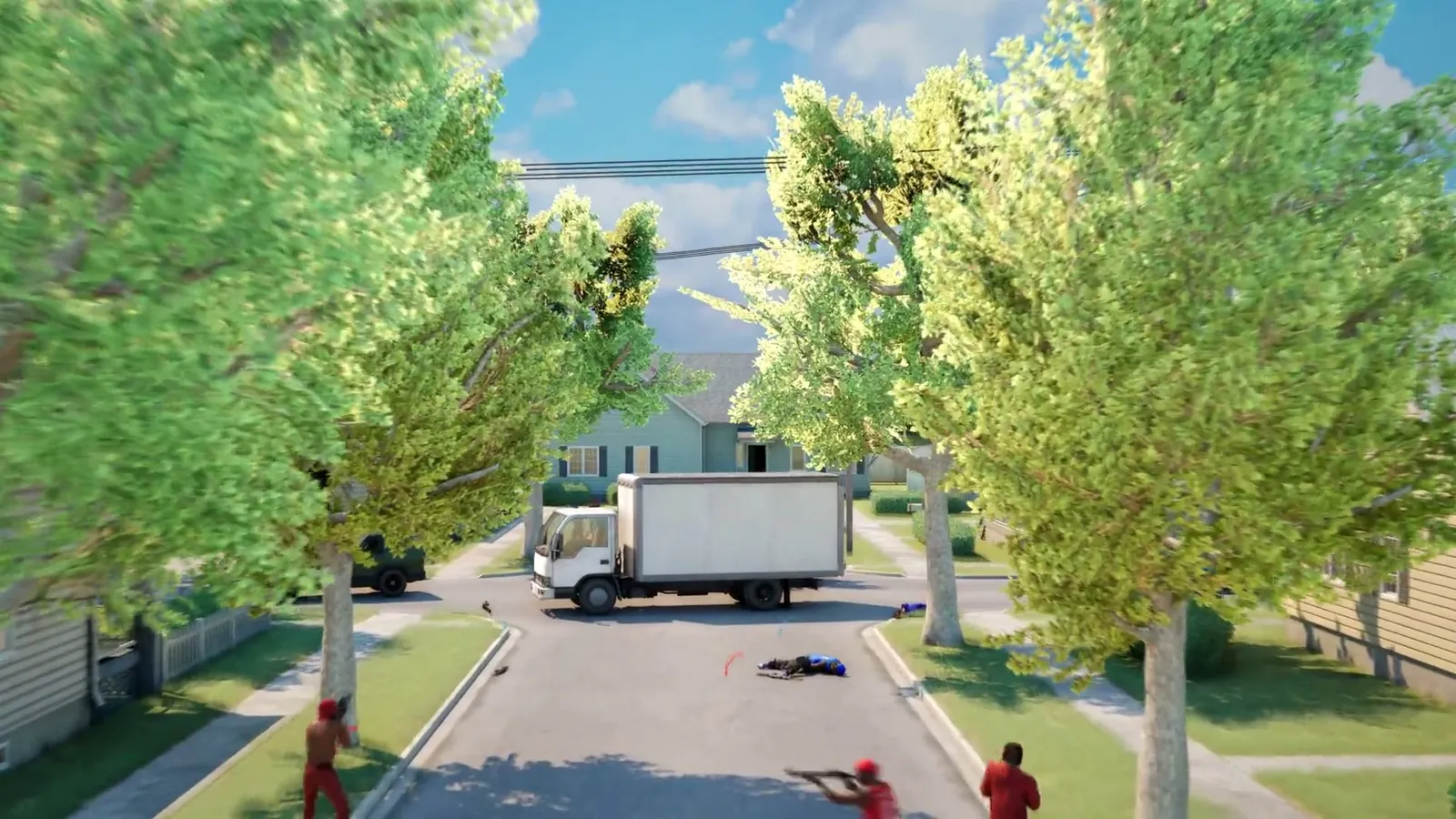
The four maps are Downtown, Suburbs, The Trenches and Chicago Mall, the indoor option. The modes you can load are:
| Mode | Objective in short | Format |
|---|---|---|
| Turf War | Score for the turf your gang holds, push the other gang off theirs | Two teams, zones |
| GangBang | Team shootout, most kills wins | Two teams, kills |
| Chaos | Everyone for themselves, no gang loyalty | Free-for-all |
| Hit A Lick | Take the enemy bag home, defend your own | Two teams, objective |
| Destroy The Block | Plant or defuse, one life per round | Two teams, rounds |
| Chain Snatch | Grab the chains enemies drop, recover your crew's | Two teams, pickups |
Bots are the part that never needed a second player. They are confirmed in the same sentence as map, mode and settings, so a two-person lobby can still field full teams. What is unpublished is everything about their behavior — difficulty, headcount limit, and whether they play objective modes like Destroy The Block properly. Two lines in the newest patch name the AI side using the studio's own wording: "Fixed exploit with the homies where they can clip through the ceiling of some maps" and "Fixed the homies colors to be red on chaos (matching your gang now)." Who counts as a homie is not defined anywhere official.
The game modes page explains how each mode is won and the bot mode page covers solo setup. Zone counts, kill limits and round counts stay unpublished, so a private round is the only place to feel those numbers out before a scoreboard does it for you.
Set Destroy The Block to see where plant sites sit, or Hit A Lick to see where the bag spawns, then take that knowledge into matchmaking — and settle your controls and keybinds before you invite anyone.
What Trapstar Has Not Documented
Patch 1.0.1.4 also fixed false anti-cheat kicks, a missing audio device, and several join-game crashes. None of that touches the lobby rules, and no later patch adds to the private match line. Four days on, this is the honest state.
| Question | Status as of October 18, 2026 |
|---|---|
| How many players fit in a private lobby | Not published |
| Bot count or difficulty inside a private lobby | Not published |
| Whether a private match grants Reputation or XP | Not published — the studio says reputation comes from "playing matches" without naming a mode |
| Whether private rounds count for weapon challenges or gun skins | Not published |
| Match setting options (round limits, timers, friendly fire) | Not published |
| A private-match menu screenshot or trailer | Not published |
Private matches went live on October 14, 2026 and have not been revisited since. Expect these blanks to stay blank until a patch note or a menu guide appears in the Steam announcements feed — the place every change since launch has been posted and the source behind the patch notes tracker. Official footage, when there is any, lands on the studio's own Trapstar Games channel.
Progression is the question most players ask, and there is no answer yet. The reputation and XP page explains how levels unlock weapons and equipment and how weapon challenges feed attachments, all of it described by trigger rather than by mode. Until the developer says a private round counts, treat it as unconfirmed for the grind.
FAQ
How do I play Hood Warfare 2 with just my friends?
Create a private match. Patch 1.0.1.4 added "a private password only lobby with your friends," and patch 1.0.1.7 added a party system so you can invite friends, queue up and join games together.
How do I make a private match in Hood Warfare 2?
Update first — the option does not exist before patch 1.0.1.4. Then start a custom match, pick the mode, map and match settings, set a password and pass it to your friends. The exact menu path and button names are not published.
Is there a password on private matches in Hood Warfare 2?
Yes. The official wording is "private password only lobby," so the room is gated by a password rather than by an invite list. Whether the password is text, numbers or case-sensitive is not documented.
Can I play a private match with bots?
Bots are officially confirmed for custom matches, where they "fill out the teams," and a private match is a custom match at heart. The patch line about private matches mentions friends rather than bots, so the exact overlap between a password lobby and bot filling is not spelled out.
Do private matches give XP or reputation in Hood Warfare 2?
Not published. Reputation is described as coming from "playing matches" with no breakdown by mode or lobby type, so treat private rounds as unconfirmed for progression until the developer says otherwise.
Related Guides
- Hood Warfare 2 Game Modes: All Six Objectives Explained — what each mode you select in the lobby asks you to do.
- Hood Warfare 2 Bot Mode: How to Set Up Solo Matches — filling the teams with AI, including the maps and modes you can load.
- Hood Warfare 2 Crossplay and How to Play With Friends — why the friend list here is Steam's and nothing else.
- Hood Warfare 2 Patch Notes and Update Timeline — every official update since launch, including the two that built private play.
More Hood Warfare 2 Guides
Hood Warfare 2 fully supports controllers on PC. See the default control scheme, what is rebindable, and how to set up keyboard, mouse or gamepad.
Hood Warfare 2 drew backlash over gang stereotypes and Call of Duty comparisons. What critics said, what the developer replied and how it sold.
Does Hood Warfare 2 have crossplay? There is no cross-platform support announced. Here is how to party up with friends in private matches instead.
A guide to Downtown in Hood Warfare 2: street layout, flanking lanes, cover and the positions that decide fights across Chicago's high-rise blocks.
Hood Warfare 2 asks you to pick a side. See which gangs appear in official footage, what the developer has confirmed, and how faction choice works.
Every killstreak in Hood Warfare 2, what each one does, how to earn them and what the developer has changed in recent patches.
How Hood Warfare 2 matchmaking fills lobbies, when bots step in, and what the developer connection and party fixes changed since launch.
Hood Warfare 2 ships with six modes: Turf War, GangBang, Chaos, Hit A Lick, Destroy The Block and Chain Snatch. Here is how each one is won.