Hood Warfare 2 ships with no Steam Workshop and no official mod tools. What modders use instead, and what a mod can break after a patch.
Hood Warfare 2 Mods: Support, Tools and What Actually Works
Hood Warfare 2 has no Steam Workshop, no official mod tools and no public SDK, and none of the developer's three Steam news posts mentions mods. Patch 1.0.10 on October 12, 2026 added an anti-cheat with a report button. Anything installed today is community-made, unsupported, and reversible by the next update.
- Workshop section on the game's Steam hub: none
- Official mod tools, mod kit or SDK: not announced anywhere on record
- Community route: Unreal Engine 5 file overrides, script loaders and shader filters
- Real risk: injection loaders use the same technique as cheat software, which the anti-cheat and the report tool target
Official Support Status: No Workshop, No SDK
Four places decide the question, and all four agree.
| Where to check | What is actually there (checked October 18, 2026) | Mod support? |
|---|---|---|
| Steam Community hub for Hood Warfare 2 | Tabs for Discussions, Screenshots, Artwork, Broadcasts, Videos, News, Guides and Reviews — no Workshop section, 558 discussion threads | No |
| Store feature list | Single-player, Online PvP, Family Sharing | No |
| Developer news posts | October 4 preview, October 8 launch, October 12 patch 1.0.10 — none mentions mods, custom content or an SDK | Silent |
| In-game menus | Settings, loadouts, progression, bot matches | Built-in customization only |
Official source: the Hood Warfare 2 store page shows a feature row of Single-player, Online PvP and Family Sharing with no Workshop or mod entry, and the Steam Community hub for the game carries no Workshop tab.
That absence is a decision, not an oversight. Workshop hosting is something a developer opts into and then has to maintain: Valve's own explainer notes that mod authors work separately from studios and that "Developers are not typically involved with mods or their creation, other than allowing their games to support them" (Community-made content on Steam). With no Workshop page, there is no subscribe-and-auto-update pipeline, no per-mod versioning, and no reason for the developer to keep a fan project loading after each patch. Trapstar Games is a small studio that shipped its first update nine days after launch; a mod SDK is not on the public list of work.
What You Are Actually Installing
Hood Warfare 2 is an Unreal Engine 5 build, so community modding follows the same route as every other UE5 shooter without official tools. Almost everything players call a mod here falls into three categories.
| Type | How it works | Risk level | Breaks on patches? |
|---|---|---|---|
| Asset override (.pak / .utoc) | Repacked textures, sounds, HUD or map files that the engine loads on top of the base content | Lower — plain files, no code runs inside the game process | Usually, with each update |
| Script or blueprint loader | A loader such as UE4SS injects into the running game to expose blueprint functions | Higher — this is process injection, the same method cheat clients use | Yes, and it needs fresh mappings each build |
| Shader or overlay filter | Post-process effects drawn over the finished frame; game files stay untouched | Lowest for the install, still an unsupported third-party program | Rarely, but overlays can be blocked outright |
The work itself is engine-standard rather than game-specific:
- Confirm the engine version the build uses before touching anything; a pak packed for the wrong UE5 version simply will not mount.
- Read or export shipped assets with an Unreal package tool such as FModel to find the texture, sound or data table you want to change.
- Make the change in the exported project or with a script loader.
- Repack and place the result where the engine loads overrides — UE5 titles read loose content from a mods folder beside the base pak files, commonly
Content/Paks/~mods. - Test in a private bot match before anything touches live play, so a bad file never reaches a real lobby.
For purely visual tweaks, a shader injector such as ReShade skips steps 1 through 4: it draws over the frame and edits nothing on disk.
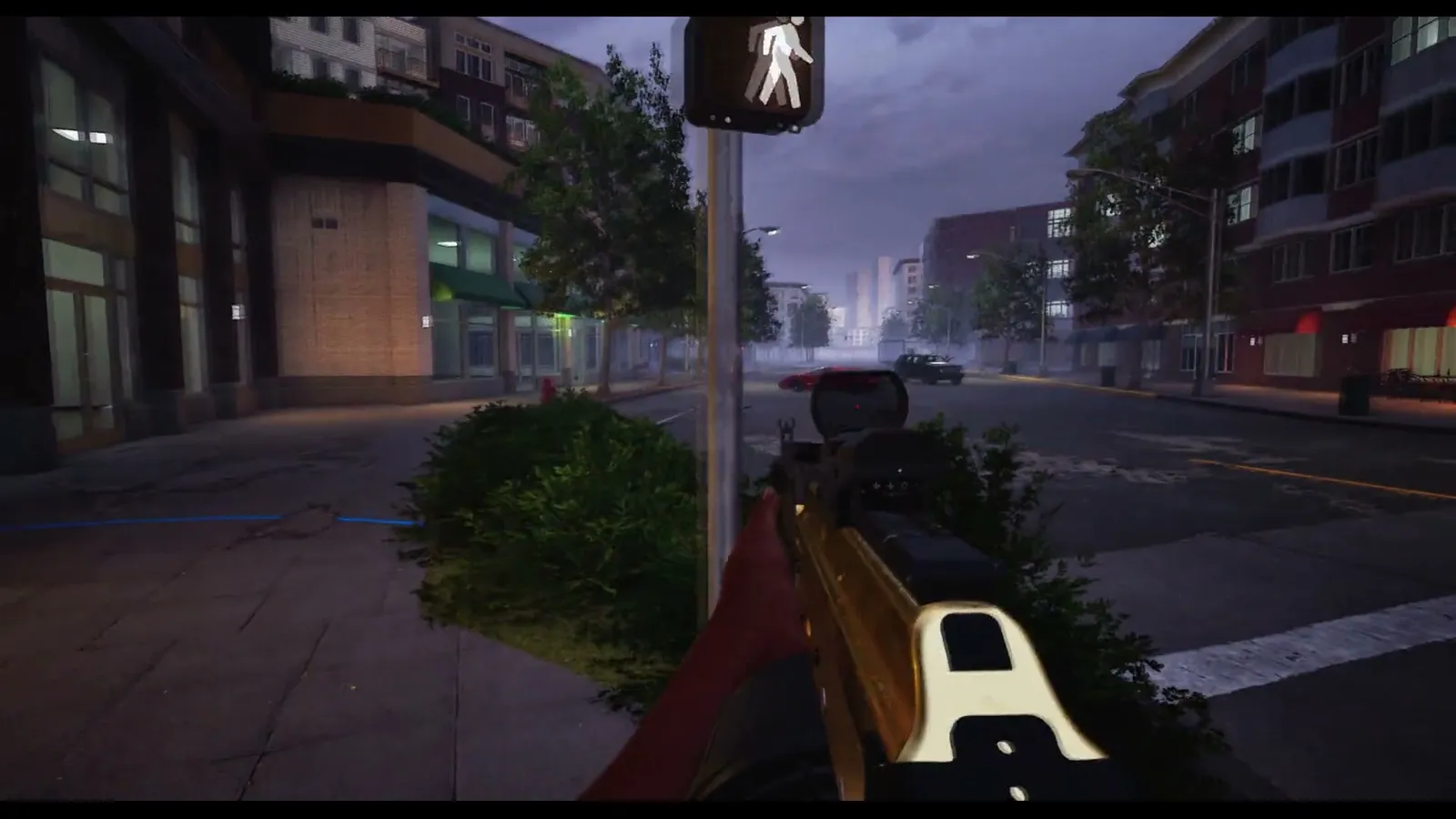
Trapstar Games has announced, hosted and endorsed nothing on this page. Every loader, pack and menu above comes from fans reverse-engineering shipped files, and none of it carries a compatibility promise, a support channel or a fix schedule.
What One Patch Does to a Mod
Patch 1.0.10 landed on October 12, 2026 at 16:35 UTC and did two things that matter to anyone with modified files: it replaced game content, and it added an anti-cheat.
| Update behaviour | What happens to a mod | What to do |
|---|---|---|
| Steam update replaces modified content | The override stops applying silently, or the game crashes on launch | Remove the mod and verify the game files to restore the originals |
| Anti-cheat added in 1.0.10 | Injected loaders and menus are exactly the pattern it is built to catch | Uninstall before playing online, not after a match |
| Blueprint and script mappings shift | Script loaders throw errors until someone regenerates mappings for the new build | Wait for the loader author, or stay on the old build offline |
Official source: HOOD WARFARE 2 - PATCH 1.0.10 says "we implemented an anti cheat system" and that players who collect a lot of reports and are judged to be cheating "will be banned".
Steam's Online Conduct rules list "running cheat programs" as prohibited, and Hood Warfare 2's anti-cheat arrived because of cheating complaints in the first four days. Detection is partly report-driven, so a modification can survive for days and still end in a ban later — a working mod tonight proves nothing about tomorrow. Cosmetic-only file edits are not officially permitted either; they are simply unsupported. If you value the account, uninstall client modifications before you go online.
Mod Menus, Unlock Tools and Trainers
Search for Hood Warfare 2 mods and the loudest results are not content mods at all. Within roughly a week of launch, videos and forum threads were already demonstrating "mod menus" for the game — panels with aim assistance, player outlines and instant unlocks. Whatever the label says, those tools are cheat software in Valve's language, and Hood Warfare 2's anti-cheat was written to catch them. There is a specific trap for a game this cheap: a $5.99 title invites buyers to test tools on a throwaway account, and bans follow the account, the purchase and the reviews tied to it, not the mod file.
Nothing here justifies a purchase. A menu sold through a Discord server or a link shortener has no store page, no version history and no refund path, and you are handing a stranger a program that runs inside the same process as your game. The honest summary is that the flashy half of the Hood Warfare 2 mod scene is a cheat market wearing a modding label, and the game's own anti-cheat treats both the same way.
Safer Ways to Get What a Mod Would Give You
Most reasons people look for mods here are already covered by the game or by a settings menu.
| What you actually want | Built-in route | Page |
|---|---|---|
| Custom weapon builds without unlock tools | Attachments, perks and equipment set per loadout | Weapons and customization |
| Sharper picture, less clutter, higher frame rate | Graphics, audio and FOV options with real numbers | Best settings |
| A private game on the map and side you want | Bot matches with chosen map, mode and match settings | Bot mode |
| More variety than the default playlist | Six shipped modes, from Turf War to the smaller objective modes | Game modes |
| Whether your PC is the real bottleneck | Minimum and recommended specs, plus Deck notes | System requirements |
A graphics config file tweak is about as far as unsupported editing goes without touching the game process, and even that gets overwritten when the settings menu next writes its own values.
How to Judge a Mod Before You Install It
- Check where the file came from. A GitHub repository with commits and issues behaves differently from an anonymous drive link.
- Read what runs. A texture or sound replacement is a file swap; anything shipping a DLL or asking for administrator rights is executing code inside your game.
- Treat requests for Steam credentials, a Steam Guard code or a login through a third-party page as an immediate stop.
- Back up the files you replace, or write down the folder, so a patch break is a copy-paste rather than a re-download.
- Test offline or in a bot match first, then decide whether the mod is worth the online risk.
- Assume the next patch resets all of it. The update history so far is one patch in ten days, and the developer has promised more.
FAQ
Is there a mod menu for Hood Warfare 2? Yes, community-made ones exist and have been shown off since launch week. They are cheat tools, not content mods: aim assistance, outlines and unlocks. Using one online risks a ban under the anti-cheat that arrived in patch 1.0.10, and no official menu exists.
Can you get banned for using mods in Hood Warfare 2? Client modifications are unsupported, and Steam's conduct rules prohibit running cheat programs. File-level cosmetic edits and injected mod menus are not treated differently by the anti-cheat, and bans also arrive through player reports, so nothing you install comes with a safety guarantee.
Why is there no Steam Workshop for Hood Warfare 2? Because Workshop hosting is an option a developer has to enable and maintain, and Trapstar Games has not. The game's Steam hub has no Workshop tab, the store feature list omits it, and none of the official posts mentions mod tools.
Do mods still work after patch 1.0.10? Asset overrides usually stop loading or crash the game after an update, and script loaders need fresh mappings for the new build. Recheck the patch notes page after each update before reinstalling anything.
Will the developer ever add official mod tools? Nothing on record suggests it. The three official posts cover launch, the launch weekend and the 1.0.10 patch; mod support, a mod kit and Steam Workshop are all absent, and no roadmap has been published.
Related Guides
- Hood Warfare 2 Patch Notes and Update Timeline — the dated changelog to check before reinstalling a mod after an update.
- Hood Warfare 2 Bot Mode — private matches on a chosen map and mode, the safe place to test anything you install.
- Hood Warfare 2 Best Settings — the in-game levers that answer most visual and performance mod requests.
- Hood Warfare 2 Weapons and Customization — attachments and perks, built-in instead of unlocked by a tool.
- Hood Warfare 2 System Requirements — confirm the hardware before blaming the game or reaching for a performance mod.
More Hood Warfare 2 Guides
Hood Warfare 2 fully supports controllers on PC. See the default control scheme, what is rebindable, and how to set up keyboard, mouse or gamepad.
Hood Warfare 2 drew backlash over gang stereotypes and Call of Duty comparisons. What critics said, what the developer replied and how it sold.
Does Hood Warfare 2 have crossplay? There is no cross-platform support announced. Here is how to party up with friends in private matches instead.
A guide to Downtown in Hood Warfare 2: street layout, flanking lanes, cover and the positions that decide fights across Chicago's high-rise blocks.
Hood Warfare 2 asks you to pick a side. See which gangs appear in official footage, what the developer has confirmed, and how faction choice works.
Every killstreak in Hood Warfare 2, what each one does, how to earn them and what the developer has changed in recent patches.
How Hood Warfare 2 matchmaking fills lobbies, when bots step in, and what the developer connection and party fixes changed since launch.
Hood Warfare 2 ships with six modes: Turf War, GangBang, Chaos, Hit A Lick, Destroy The Block and Chain Snatch. Here is how each one is won.