Tune Hood Warfare 2 for smooth frame rates and clearer fights. Recommended specs, audio levels and the known issues players are already reporting.
Hood Warfare 2 Settings: Best Setup for FPS, Visibility and Audio
Quick answer: sit on the official recommended spec bar (RTX 3060 Ti / RTX 4060, 16 GB RAM, Core i5-12600K or Ryzen 5 7600) if you can, drop to the lowest quality preset if your GPU is a GTX 1660 or weaker, and turn your master volume down before the first firefight — friendly gunfire is the most concrete settings complaint in the Hood Warfare 2 discussions and no in-game option fixes it as of 2026-10-12. Every frame-rate number below is labelled with who measured it; we have not benchmarked the game ourselves, so anything we did not test is marked as a community report.
The official spec is the only baseline Trapstar has published
The store page lists hardware requirements and nothing else — no preset recommendations, no target frame rates, no field-of-view guidance. That table, reproduced from the Steam API, is the floor your settings must respect.
| Component | Minimum | Recommended | What it means for your settings |
|---|---|---|---|
| OS | Windows 10 64-bit (1909 or newer) | Windows 11 64-bit | 64-bit only |
| CPU | Core i5-9600K / Ryzen 5 3600 (6 cores) | Core i5-12600K / Ryzen 5 7600 | Six cores is the floor |
| Memory | 8 GB | 16 GB | 8 GB is the minimum, not a comfortable target |
| GPU | GTX 1660 / RX 5600 XT 6 GB | RTX 3060 Ti / RTX 4060 8 GB | Below the minimum line, expect to run at reduced quality — no official preset guidance exists |
| DirectX | Version 12 | Version 12 | DX12 is mandatory — no DX11 fallback |
| Storage | 25 GB free | 30 GB free | Leave the headroom for unannounced updates |
| Network / sound | Broadband + DirectX-compatible sound card | Same | Online-only; audio hardware matters for the issue below |
Official source: Hood Warfare 2 on Steam — system requirements listed on the store page
Steam Deck is not marked Verified and the game ships no Linux build, so Deck performance is untested territory rather than a settings problem. The full spec breakdown lives on our system requirements page.
Graphics settings: what exists, what players report
Trapstar has not published a graphics menu, so treat every preset name below as player-reported rather than documented.
| Setting area | Status as of 2026-10-12 | Where it comes from |
|---|---|---|
| Low preset | Confirmed in use — players write "Even in low it doesn't go above 80FPS on a 4070" | Steam discussion, October 12, 2026 |
| DLSS / upscaling | Not in the game yet by player request: the same thread opens with "yall gotta add dlss4… to get mfs on potatos like me at 60+ fps" | Same thread |
| Our own FPS benchmark | Not run — pending | This page |
| Official preset or FPS guidance | Not published | Steam store page and official news |
Two things follow. First, if a 4070 sits near 80 FPS on the lowest preset, an RTX 3060-class machine should expect less — the recommended spec is a hardware bar, not a frame-rate promise. Second, with no upscaler confirmed in the game, your remaining levers are the quality preset level and your rendering resolution.
Reviews cut both ways. One Steam review says performance is "surprisingly good, graphics are solid" and another calls the game "Optimized, simple, fun", while a third review — written in Turkish — names FPS optimization as its biggest complaint, reporting very low frame rates at 2K on capable hardware. Treat all of them as launch-window impressions: in a 100-review Steam sample pulled on 2026-10-12, no reviewer had more than ten hours in the game.
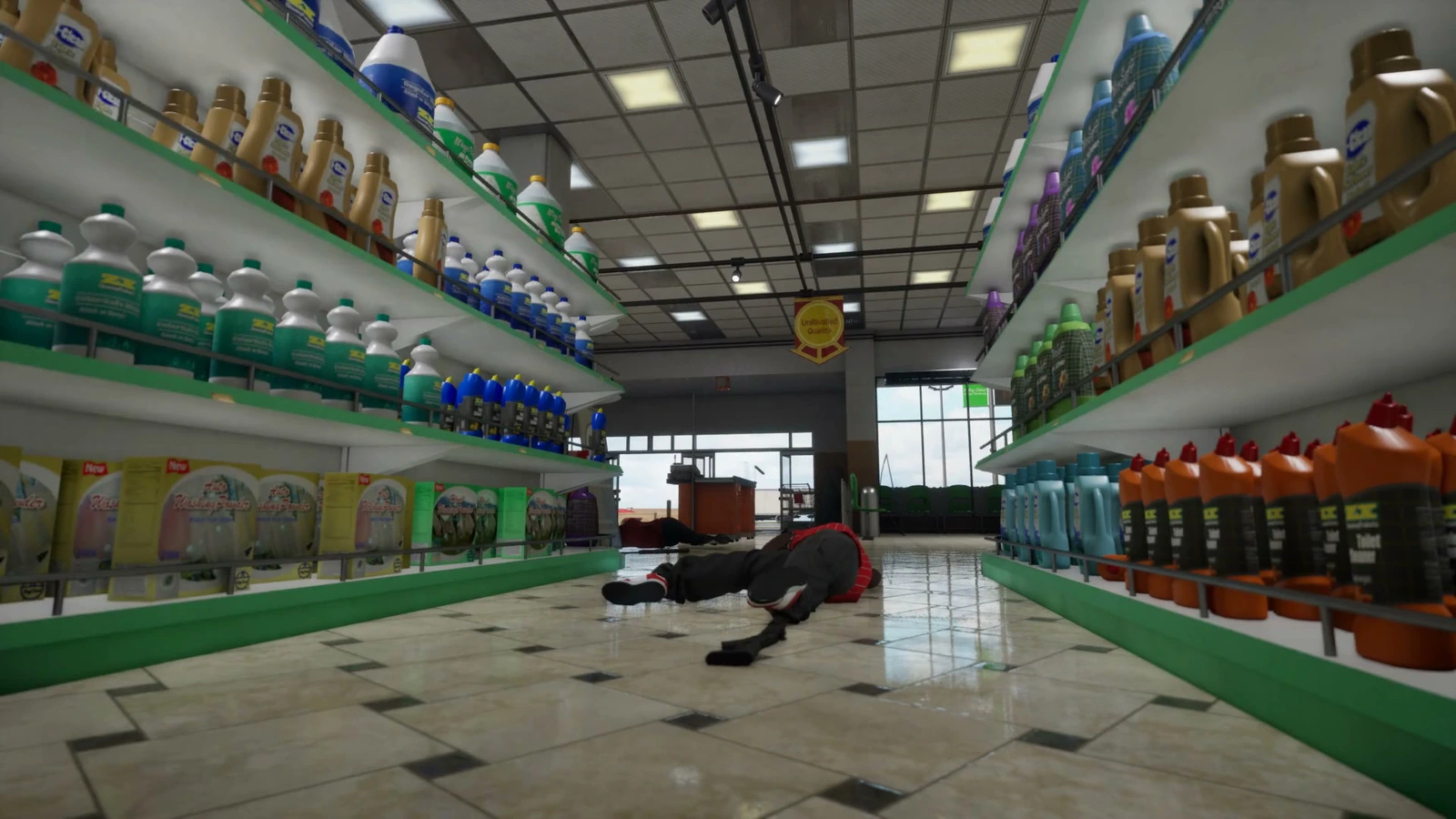
Hood Warfare 2 lets you set up a match against bots with your own map, mode and match settings. Run one, change one graphics option, then go back — that separates a real gain from a placebo faster than queueing into a real match. Setup walkthrough on the bot mode page.
Visibility settings: brightness, glare and enemy colours
Visibility is where the reviews are most specific, and none of it is a frame-rate issue.
- Glare: a negative Steam review posted 2026-10-11 complains that on one map "the sun way to bright cant see" — the poster did not name the map. If outdoor sections wash out, raise the in-game brightness or gamma if your build has the option, and fall back to your monitor's brightness or the desktop gamma control panel if it does not. We have not confirmed whether a brightness slider exists.
- Enemy colours: a reviewer who refunded the game reports "you could not see enemies in most of the maps unless you switch teams to match map style". Official screenshots show red Bloods and blue Crips jerseys, so contrast against grey concrete and beige suburban walls varies by side.
- Map knowledge beats sliders: Downtown has long street sightlines and Suburbs has hedge-and-porch cover — knowing the angle matters more than a gamma tweak.
Audio settings: the friendly gunfire problem
The most actionable settings thread on the forum is titled "The friendly gun fire sound is too loud", live on the forum when we checked on 2026-10-12. The poster's complaint is precise: "cant turn it down in game ive tried all settings but its just annoying", with a single "+1" reply.
What that tells you:
- There is reportedly no separate volume channel for friendly gunfire — the poster tried the settings and could not isolate it.
- The practical fix today is to lower overall game volume until sustained friendly fire is tolerable, accepting that footsteps and enemy gunfire get quieter too.
- A proper fix is an official patch, not a setting. Track it on the patch notes page, which records no official patch since the 2026-10-08 launch.
Several reviews also ask for in-game voice chat, which does not exist yet — coordinate with an external voice app if you squad up. Controls, keybinds and full controller support are covered on the controls page.
Network settings and the ping you are shown
The official requirement is a broadband connection, and the match list reportedly shows a ping figure. Reviews disagree with that figure: one player reports "Getting 80+ ping in servers where it says I will get 20 ping or under".
- Treat the displayed ping as a suggestion and prefer the lowest real number you can confirm in a match.
- Player claims that servers are peer-to-peer are exactly that — player claims. Trapstar has not published server architecture, so do not build a settings workaround around it.
- Ping complaints sit alongside spawn trapping in the tips and tricks page, both filed as player experience rather than documented mechanics.
Problems no setting will fix
| Reported issue | Setting fix? | What to do instead |
|---|---|---|
| Cheaters in lobbies | No | Wait for anti-cheat work; watch patch notes |
| Spawn trapping | No | Play respawn modes, reposition immediately; see tips page |
| Friendly gunfire too loud | Master volume only | Lower the whole mix until a patch lands |
| Low FPS, no upscaler | Partially | Rendering resolution and preset level; sit at the recommended GPU spec |
| No voice chat | No | Use an external app with your squad |
| Cloud saves uncertain | No | The forum has a "Steam Cloud Saves?" thread with no developer answer |
| No achievements | No | The game launched without them; players are asking for them |
None of these are configuration problems, and treating them as such wastes an evening you could spend in a bot match. Change nothing here — go play.
Change these first: drop to the lowest quality preset if you are below the minimum GPU, rendering resolution before anything else, brightness until outdoor maps stop washing out, master volume down for friendly fire — then leave everything else alone.
Frequently Asked Questions
Does Hood Warfare 2 have DLSS or any upscaler? Not as of 2026-10-12. Players are requesting DLSS support on the forum, which means there is nothing to enable today — rendering resolution and the preset level are your only frame-rate levers.
Why is friendly gunfire so loud, and can I turn it down? One settings thread reports that the in-game options do not isolate friendly gunfire, so lowering overall volume is the only workaround until a patch.
What FPS should I expect on my PC? No official target exists and we have not benchmarked the game. Reports range from "performance is surprisingly good" to one player who could not push an RTX 4070 past 80 FPS on the lowest preset. Measure in a bot match.
Do these settings apply to PS5 or Xbox? Console versions are not announced — the store lists Windows only and Trapstar has made no console statement as of 2026-10-12. Evidence trail on the PS5 page.
Is Hood Warfare 2 Steam Deck verified? No. There is no Verified badge and no Linux build, so Deck performance is unverified rather than confirmed good or bad.
Related
More Hood Warfare 2 Guides
A guide to Downtown in Hood Warfare 2: street layout, flanking lanes, cover and the positions that decide fights across Chicago's high-rise blocks.
Hood Warfare 2 asks you to pick a side. See which gangs appear in official footage, what the developer has confirmed, and how faction choice works.
Hood Warfare 2 ships with six modes: Turf War, GangBang, Chaos, Hit A Lick, Destroy The Block and Chain Snatch. Here is how each one is won.
Hood Warfare 2 launched on October 8, 2026. Track every official update, the developer's patch promises and the issues players want fixed first.
How many people are playing Hood Warfare 2? The viral launch pushed the peak to 4,491 players, far above the 2023 original's all-time peak of 68.
Is Hood Warfare 2 on PS5? The store only lists Windows, and no console announcement exists. Here is the full evidence trail as of October 12, 2026.
Hood Warfare 2's progression runs on three tracks: reputation levels unlock gear, weapon challenges unlock attachments, and kills unlock skins.
Hood Warfare 2 costs $5.99 on Steam, currently 10% off at $5.39 until October 15. Windows only, 374 reviews, 74.6% positive.